
FantaMorph
5.4.7
Size: 7.1 GB
Downloads: 15276
Platform: Windows (All Versions)

If you ever saw an animation where a face turns into another face or where a human face turns into an animal’s face, and you wanted to be able to do the same on your computer, then I would present to you the powerful and easy to use application FantaMorph. It will help you create photo morphing pics and morph animation effects.
Your journey to uncovering the functionality FantaMorph has to offer starts with a 7.1MB download that will be done in a blink. It goes on with following the instructions presented by a simple wizard. Once the installation process completes, you will be asked to launch FantaMorph and view some video tutorials (the browser will launch and you will be directed to the developer’s site where you can view the videos).
The first time you run FantaMorph, you will be asked to choose the language of your choice, the version you would like to try (there are three versions to choose from: Standard, Professional, and Deluxe), the skin you would like to use (Standard, Mac, and Blue), and you will also be asked to go through a diagnosis in order to assess if FantaMorph works correctly.
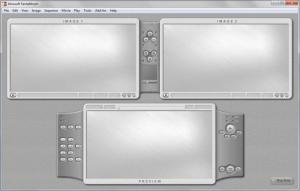
FantaMorph puts a great emphasis on the ease of use. Everything about this piece of software is built around making it super easy for the user to come up with morphing effects. The user interface is simple, elegant, and easy to figure out – there are large preview panes in the middle and the main functions at the top. A project wizard shows up each time you launch FantaMorph and guides you through the process of creating a new morph, warp, sequence morph, or layer morph effect.
The trial version of FantaMorph is free to use for 30 days. While using the trial version, you can switch between the Standard, Professional, and Deluxe edition. Once the 30-day evaluation period is over, you will have to purchase a license and you will have to decide which FantaMorph edition you want to buy. The Deluxe edition has the most features, but it is the most expensive.
FantaMorph is an application that offers you a wide selection of tools to create cool looking morphing effects and makes the whole process very easy.
Pros
You can rapidly download and install FantaMorph on your Windows-powered computer. There are tutorials to help you understand how FantaMorph works. A demo project is included in the application. A project wizard helps you easily come up with morphing effects. Provides support for a long list of images and video files. There’s a built-in image editing tool. Three FantaMorph editions to choose from; the trial version lets you switch between the three and thus try them all out.

Cons
Free to use only during the 30-day trial period. The trial puts a watermark on the output. The trial version makes you wait 5 seconds every time you launch FantaMorph.

FantaMorph
5.4.7
Download
FantaMorph Awards

FantaMorph Editor’s Review Rating
FantaMorph has been reviewed by George Norman on 07 Feb 2012. Based on the user interface, features and complexity, Findmysoft has rated FantaMorph 4 out of 5 stars, naming it Excellent







